What is technical SEO, in plain language?
Technical SEO is the work that helps Google find, read, and trust your website. It is not about writing more blog posts. It is about making sure the pages you already have load fast, work on phones, and are easy for search engines to crawl and index.
Think of it this way: on-page SEO is what you say, and technical SEO is whether Google can hear you clearly. If your site is slow, broken, or blocked, even great content will struggle to rank.
I have worked on local and small business websites for years, using tools like SEMrush for audits and Google Search Console to watch indexing. The pattern is always the same: the sites that fix the technical basics first get the fastest ranking improvements. If you want the wider picture, read the Search engine optimization overview on Wikipedia.
Why does technical SEO matter for a small business?
Most small business owners focus on keywords and content, and ignore the technical side. That is a mistake, because technical problems quietly block everything else.
- Google cannot rank what it cannot find. Pages that are not indexed simply do not appear in search results.
- Slow pages lose customers. Visitors leave a site that takes more than a few seconds to load, and Google notices.
- Mobile is where the customers are. Most local searches happen on phones, so a site that breaks on mobile loses real enquiries.
- Trust signals matter. A secure site with clean structure looks professional, and Google rewards it.
The good news: technical SEO for a small business is not complicated. You do not need a developer team. You need a checklist and a few hours.
How do I check whether Google has indexed my pages?
Start with Google Search Console. It is free, and it is the single most useful tool for technical SEO.
- Open Google Search Console and select your property.
- Check the Pages report under Indexing. It shows which pages are indexed and which are excluded, with reasons.
- Look for common problems: pages blocked by robots.txt, pages with “noindex” tags by mistake, and pages Google found but chose not to index.
- Submit your sitemap. In WordPress, an SEO plugin generates one automatically, usually at yoursite.com/sitemap_index.xml.
- Use the URL Inspection tool on any important page that is missing from search results, and request indexing after you fix the issue.
A quick check anyone can do: search Google for site:yourdomain.com. The results show roughly how many of your pages Google has indexed. If key service pages are missing, that is your first fix.

How fast should my website load, and how do I speed it up?
Aim for your main pages to load in under 2.5 seconds on a phone. Google measures this with Core Web Vitals, and slow pages rank lower and convert worse.
Here is the speed checklist I run on every small business site:
- Choose decent hosting. Cheap shared hosting is the most common cause of slow sites. Moving to a better host is often the single biggest win.
- Turn on caching. A caching plugin serves saved copies of your pages instead of rebuilding them on every visit. My WordPress SEO guide covers plugin setup in detail.
- Compress your images. Resize images to the size they actually display at, and serve them in WebP format. Oversized images are the number one speed killer I see on small business sites.
- Remove plugins you do not use. Every inactive plugin still adds weight. Audit your plugin list every few months.
- Use a content delivery network (CDN). A CDN serves your images and files from servers near your visitors, which helps international visitors especially.
Test with Google PageSpeed Insights. It gives you a score and a prioritized list of fixes, so you are not guessing.

Is my website mobile friendly, and why does Google care so much?
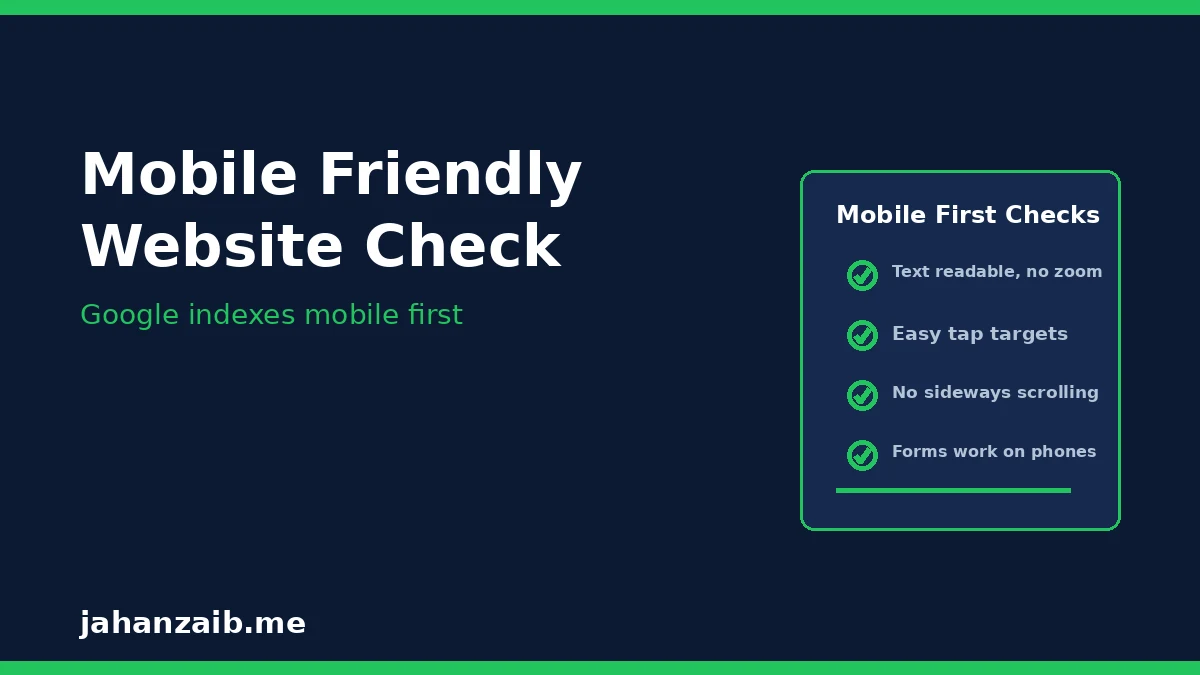
Google now indexes the mobile version of your site first. If your mobile site is broken, your rankings suffer even for desktop searches.
Check these points:
- Text is readable without zooming. Visitors should never have to pinch and zoom to read your content.
- Buttons and links are easy to tap. Tap targets that are too close together frustrate phone users.
- No horizontal scrolling. Content should fit the screen width on a phone.
- Forms work on mobile. Your contact and quote forms must be easy to complete on a small screen, because that is where enquiries come from.
- Popups do not cover the content. A popup that blocks the whole screen on mobile hurts both users and rankings.
Google Search Console has a Mobile Usability report, and PageSpeed Insights tests the mobile version by default. Fix what they flag, starting with the issues on your most visited pages.
What is structured data, and do I need it?
Structured data, also called schema markup, is code that tells Google exactly what your page is about: a local business, a service, a product, a review, or a FAQ. It does not change what visitors see, but it helps Google understand your content and can earn you richer search results, like review stars or FAQ dropdowns.
For a small business, the most useful types are:
- LocalBusiness schema: your name, address, phone number, opening hours, and service area.
- Service schema: what you offer, so Google can match you to the right searches.
- Review schema: your aggregate rating, which can show stars in search results.
- FAQ schema: answers to common questions, which can appear directly in search results.
Most WordPress SEO plugins add basic schema automatically. The key is consistency: your name, address, and phone number must match everywhere, on your site, your Google Business Profile, and your listings.
What are the most common technical SEO mistakes small businesses make?
After auditing many small business sites, these are the mistakes I see most often:
- No HTTPS. A site still running on http shows a “Not Secure” warning in browsers. An SSL certificate is free with most hosts and takes minutes to set up.
- Duplicate pages. The same content at two URLs, for example with and without www, splits your ranking power. Pick one version and redirect the other.
- Broken links and 404 errors. Old links pointing to deleted pages waste crawl budget and frustrate visitors. Redirect deleted pages to the closest live page.
- Missing or duplicate title tags. Every page needs a unique, descriptive title under 60 characters.
- No sitemap submitted. Google finds your pages faster when you submit a sitemap in Search Console.
- Large uncompressed images. The most common speed problem, and the easiest to fix.
- Blocking Google by accident. A staging site setting, like “Discourage search engines from indexing this site” left on in WordPress, can hide your whole site from Google.
Run through this list once a quarter. Most of these fixes take minutes and protect months of content work.
What is a simple 30-day technical SEO plan?
You do not need to fix everything at once. Here is a realistic plan:
Week 1: Visibility
- Set up Google Search Console and Google Analytics if you have not already.
- Submit your sitemap and check which pages are indexed.
- Fix any accidental noindex or robots.txt blocks.
Week 2: Speed
- Test your top 5 pages in PageSpeed Insights.
- Compress images, turn on caching, and remove unused plugins.
- Move to better hosting if load times stay above 3 seconds.
Week 3: Mobile and structure
- Test your site on a real phone, not just a desktop preview.
- Fix tap targets, text size, and any horizontal scrolling.
- Add or check your LocalBusiness schema and make sure your business details match everywhere.
Week 4: Cleanup and monitoring
- Fix broken links and redirect deleted pages.
- Check that every page has a unique title and meta description.
- Set a monthly reminder to re-check Search Console, because technical issues creep back in over time.
How often should I check technical SEO?
Technical SEO is not a one-time job. Websites change: plugins update, pages get deleted, hosting performance drifts. I recommend a light check every month in Search Console and a fuller audit every six months, or after any redesign or platform change.
The monthly check takes about 20 minutes: indexed pages, new errors, mobile usability, and speed on your top pages. Catching a problem early is always cheaper than discovering it after rankings have dropped.
Need help fixing your site’s technical SEO?
If your site is slow, missing from search results, or you are not sure where the problem is, I can run a full technical audit and fix the issues holding your rankings back. I work with small businesses in the UK, US, and Australia, and every audit starts with what your site actually needs, not a generic package.
Contact me here and tell me about your website. I will take a look and give you an honest assessment of what is holding it back.